Record, edit and mix audio
directly inside WordPress
A full multi-track audio studio in your dashboard — record, edit, mix and publish, no external tools.
✨ New in v4.1 — a real multi-track studio
🎛️ Multi-track mixing
Up to 4 tracks with volume, mute, solo and automatic mixdown.
🎵 Sound Library
One-click jingle and music-bed pads for radio-style mixing.
🎚️ Effects & Undo/Redo
Fade in/out, normalize, gain, silence — with full undo history.
📈 Live waveform
Watch the waveform build in real time while you record.
Stop juggling external tools for audio
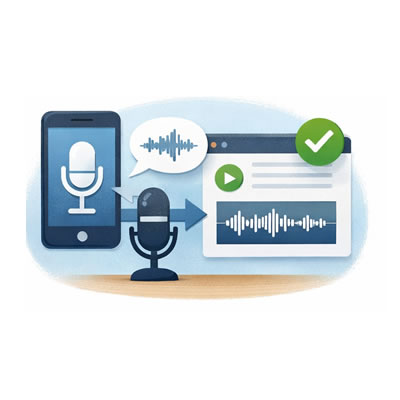
Front & Backend, Mobile or PC
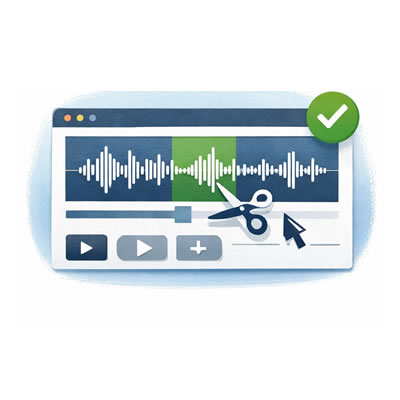
Cut, crop, paste, mix and publish audio with a visual multi-track editor built into WordPress.
No more external recorders
Record right in the browser. Your users never leave your website.
All your audio files in the same place
Collect audio directly on your site — structured, searchable, and yours.
Everything you need to work with audio
- 🎙️ Record in the browser with a live waveform
- 🎛️ Multi-track mixing (up to 4 tracks)
- 🎵 Sound Library — one-click jingle & music pads
- 🌊 Visual waveform editor
- ✂️ Cut, crop, copy, paste, delete
- 🎚️ Fades, normalize, gain, silence
- ↩️ Undo / Redo (Ctrl+Z / Ctrl+Y)
- 📂 Upload existing MP3 files
- ⬇️ Download / export as MP3
- 📝 Publish as WordPress audio posts
- 🖼️ Save to Media Library
- 🌐 Frontend editor with shortcodes
- 👤 Guest submissions (no login required)
- 🎨 7 templates + full color customization
See it in action
Who uses WP Audio Editor?
One plugin. Dozens of real-world applications.
💬
Customer Support
Let users send voice messages instead of filling out forms.
🧑🏫
Education
Collect oral assignments or let students submit audio answers.
📻
Radio & Podcasting
Assemble shows with jingles, music beds and voice — mix and export.
🎸
Musicians
Record ideas, layer tracks and mix demos instantly from any device.
📰
Journalism
Record interviews in the field and upload them straight to your site.
Up and running in 3 steps
Add the shortcode
[audio-editor]
Record or upload
Use the browser microphone or upload an existing MP3 file directly.
Edit, mix and publish
Cut, crop, add tracks and jingles, then publish as a WordPress post or save to your Media Library.
Free vs Pro — what’s the difference?
🔓 Free
- ✅ Record & upload audio
- ✅ Visual waveform editor
- ✅ Undo / Redo & Gain
- ✅ Save to Media Library
- ✅ Frontend shortcode
- ⏱️ 5-minute recording limit
- 🔒 Logged-in users only
⭐ Pro — 1 site
- ✅ Multi-track mixing (up to 4 tracks)
- ✅ Sound Library jingle & music pads
- ✅ Effects: fade in/out, normalize, silence
- ✅ Live waveform while recording
- ✅ Unlimited recording time
- ✅ Guest submissions & MP3 download
- ✅ 7 templates & design customization
- ✅ Lifetime license!
Start recording and mixing audio on
your WordPress site today
Documentation & Shortcodes
QUICK START
- To install WP Audio Editor Pro, first uninstall the free version. Download the zip from your customer dashboard and install via WordPress → Plugins → Add New → Upload.
- Create audios via Audios → Add New. Find all audios under Audios → All Audio.
- MP3 files appear in the Media Library for easy insertion anywhere.
- To use the Sound Library, add your jingles/music under Settings → Audio Editor → Sounds. They appear as one-click pads in the editor.
- After installing, flush your permalinks: WordPress Settings → Permalinks → Save.
- Use the shortcodes below to embed the editor, mini recorder, or audio lists in any page.
SETTINGS
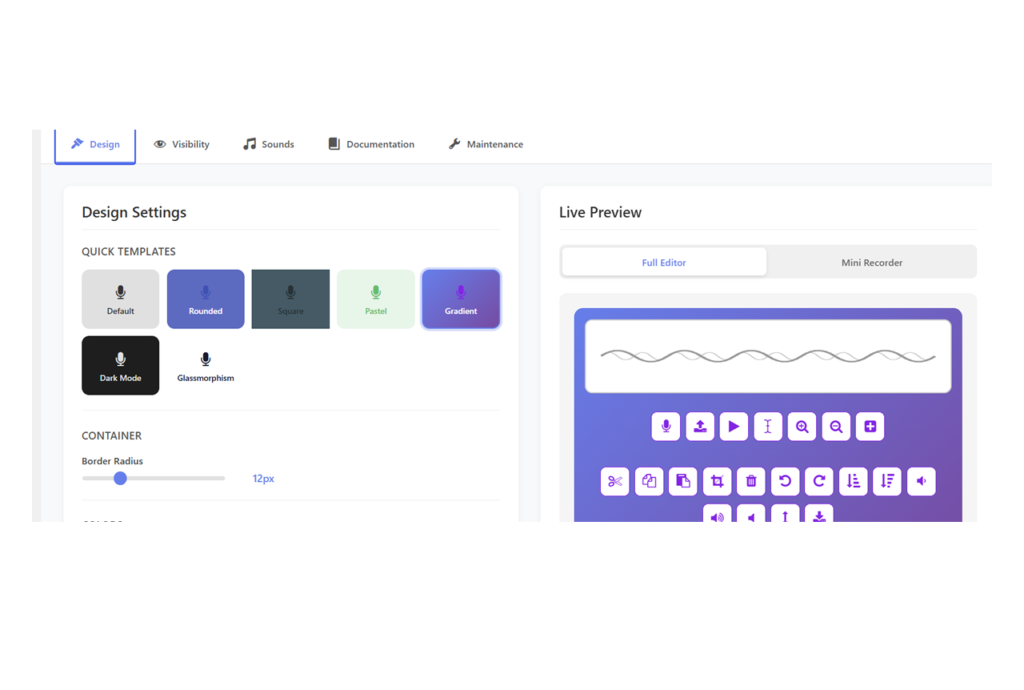
- Choose a predesigned template
- Select styles for each item
- Remove uneeded buttons / Elements
- Choose redirect URL
- Write buttons texts
- Load prepared sounds and musics
SHORTCODES
Frontend Editor: [audio-editor] — an editor page is created automatically, or insert it anywhere.
Mini recorder: [audio-editor mini="true"]
Private audio list: [audio-my-list]
Public audio list: [audio-editor-list]
SHORTCODE PARAMETERS
mini — Compact recorder mode. Example: [audio-editor mini="true"]
template — Visual preset: default, rounded, square, pastel, gradient, dark, glassmorphism. Example: [audio-editor template="gradient"]
remove-buttons — Hide buttons you don’t need. Options: record, file-upload, playbtn, re-select, zoom-in, zoom-out, copy, cut, paste, crop, delete, download, reload, add-track, gain, fade-in, fade-out, silence, normalize. Example: [audio-editor remove-buttons="download,crop"]
hide-record / hide-upload / hide-play / hide-waveform — Hide individual controls. Example: [audio-editor hide-upload="true"]
color / toolbar-bg / icon-color / btn-radius… — Full color & style customization (20+ attributes). Example: [audio-editor template="rounded" toolbar-bg="#5C6BC0" icon-color="#ffffff"]
button-text — Submit button label. Example: [audio-editor button-text="Send file"]
logged-in-only — Set to false to allow guest submissions (requires “Allow public access” enabled in Settings → Audio Editor). Example: [audio-editor logged-in-only="false"]
review — Set to false to auto-publish without review. Example: [audio-editor review="false"]
redirect-url — Redirect after publishing. Example: [audio-editor redirect-url="/thank-you"]
Mini recorder example: [audio-editor mini="true" remove-buttons="download,crop,cut,file-upload" button-text="SEND" color="red"]
IMPORTANT NOTES
— On first use, allow microphone access when your browser prompts you.
— After frontend submission, users are redirected to their audio list (or your custom URL).
— Frontend creation is restricted to logged-in users by default. To open it to guests, enable Allow public access in Settings → Audio Editor and use logged-in-only="false".
— The Pro version records without a duration limit: long takes are streamed to your server in 30-second chunks, so browser memory is no longer an issue.
(*) Refund requires demonstrating the issue.
(**) Buy 2 licenses for 4–6 live sites, 3 licenses for 7–9, and so on.

This plugin is licensed under a Creative Commons Attribution-NonCommercial 4.0 International License.